Two hands, one keyboard
How to split W A S D and the arrow keys between two players, and what to test before the first round.
Before choosing a game, decide who sits on the left and who sits on the right. The left player holds W A S D, the right player holds the arrow keys. The two sets sit at opposite ends of the board, so hands do not collide even when both players move at the same moment. Place the chairs so both pairs of eyes are the same distance from the screen. If one person sits too close, they see details the other cannot, and small arguments start from exactly that.
The quickest test of whether a keyboard can carry two players is to open an empty text box and hold four keys at once: W, A, up arrow and left arrow. If all four characters appear, the keyboard is sending every press. If only two or three appear, the keyboard has a hardware limit, and any game that asks for simultaneous sprints will feel unfair to one of the two people at the desk.
That limit is called key ghosting, and it is not a fault. Inexpensive keyboards share one circuit across several rows, so a third or fourth press in the same row sometimes never leaves the board. The answer is not to buy a new keyboard but to choose games that ask no more than two simultaneous keys per player, and to avoid anything that wants a jump, a shot and a sidestep pressed together.
Before the first round, agree on the mapping and then leave it alone. Changing keys while a round is running breaks your partner rhythm, and usually leaves one person pressing the wrong key for several seconds. If the layout really must change, do it after the round ends, and let both players try one short round before anyone plays seriously. A mapping agreed out loud is worth more than one changed quietly.
The physical position of the keyboard matters as much as the mapping. Keep it flat on the desk rather than on a lap, because on a lap the wrists drop and the fingers slow down. Do not put a wrist rest in the middle, since that space belongs to the right player. Make sure the cable is not pulling the board sideways, and keep drinks away from the space between the two players, because fast hands rarely look down.
Switch to full screen before the round starts. In most browsers F11 does it, and the missing address bar buys about a centimetre on each side. Set zoom to one hundred percent, because a larger zoom crops the edges and the right player may lose a direction marker sitting in a corner. After that, keep both hands off the mouse until the round is over, so nobody accidentally drags the page.
One trap appears again and again: the Ctrl key sits right next to W A S D, and an accidental Ctrl with W closes the tab. If you need Ctrl for anything, use the right hand, well away from the play area. Before playing, close every tab you do not need, so that one wrong press cannot destroy the only tab that mattered. A browser with three tabs is easier to recover than one with thirty.
On Windows, pressing Shift five times in a row opens the Sticky Keys dialog, and that dialog can interrupt a round because it appears in the middle of the screen. Turn the shortcut off in Settings, Accessibility, Keyboard. After every round, get both players into the habit of releasing all keys and tapping Esc once. A tab that loses focus can miss a key release, and a tab that missed one will keep moving after the fingers have stopped.

 Pedro: Double Cross
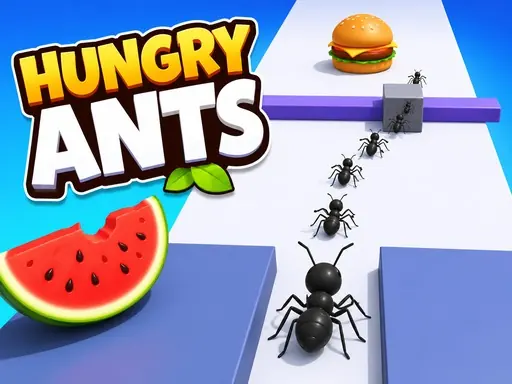 Hungry Ants